Features
Built for structured IFR practice
Each feature below is part of the simulator today. Simulated data is for education only.
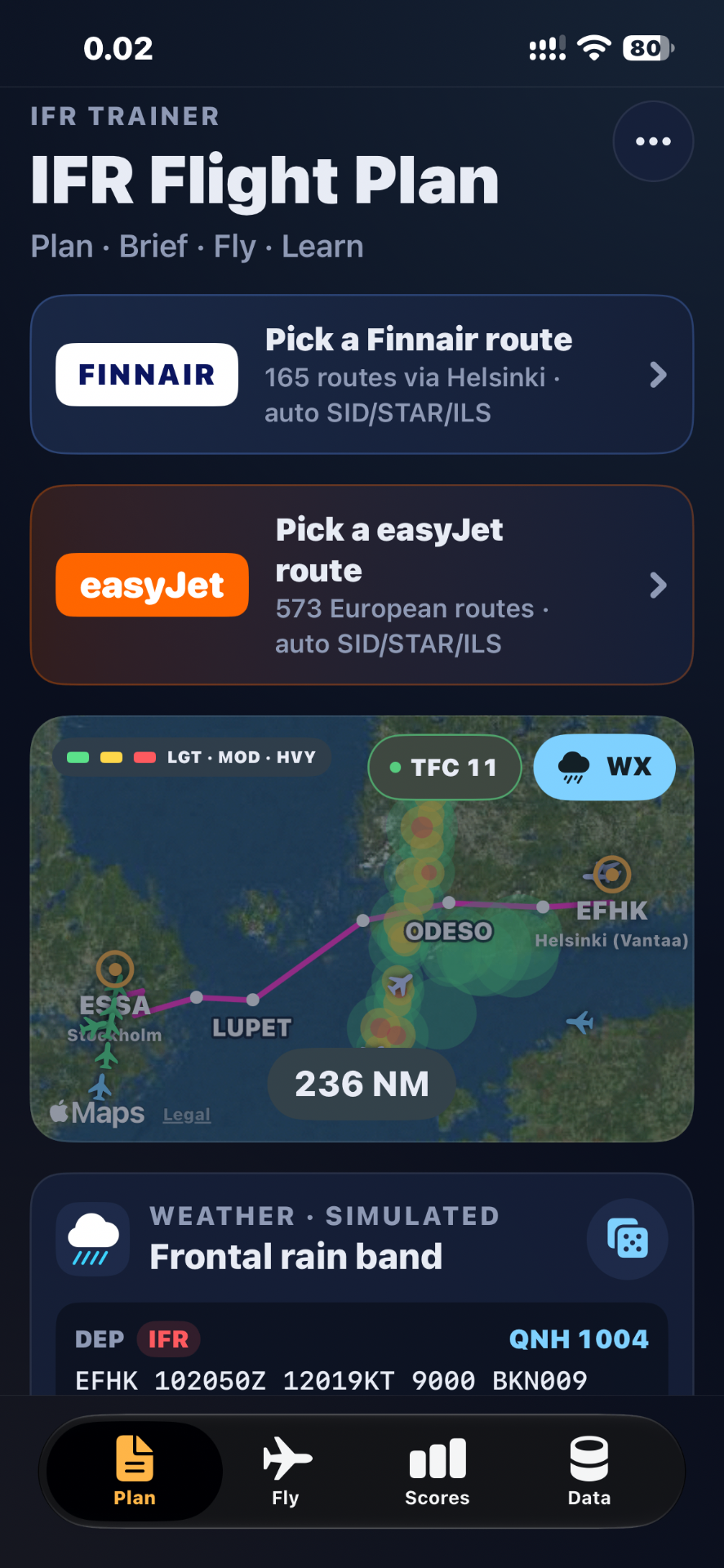
IFR Flight Planning
Review departure, destination, route overview, distance, estimated flight time and available procedures, so you can prepare for a simulated IFR flight before entering the cockpit.
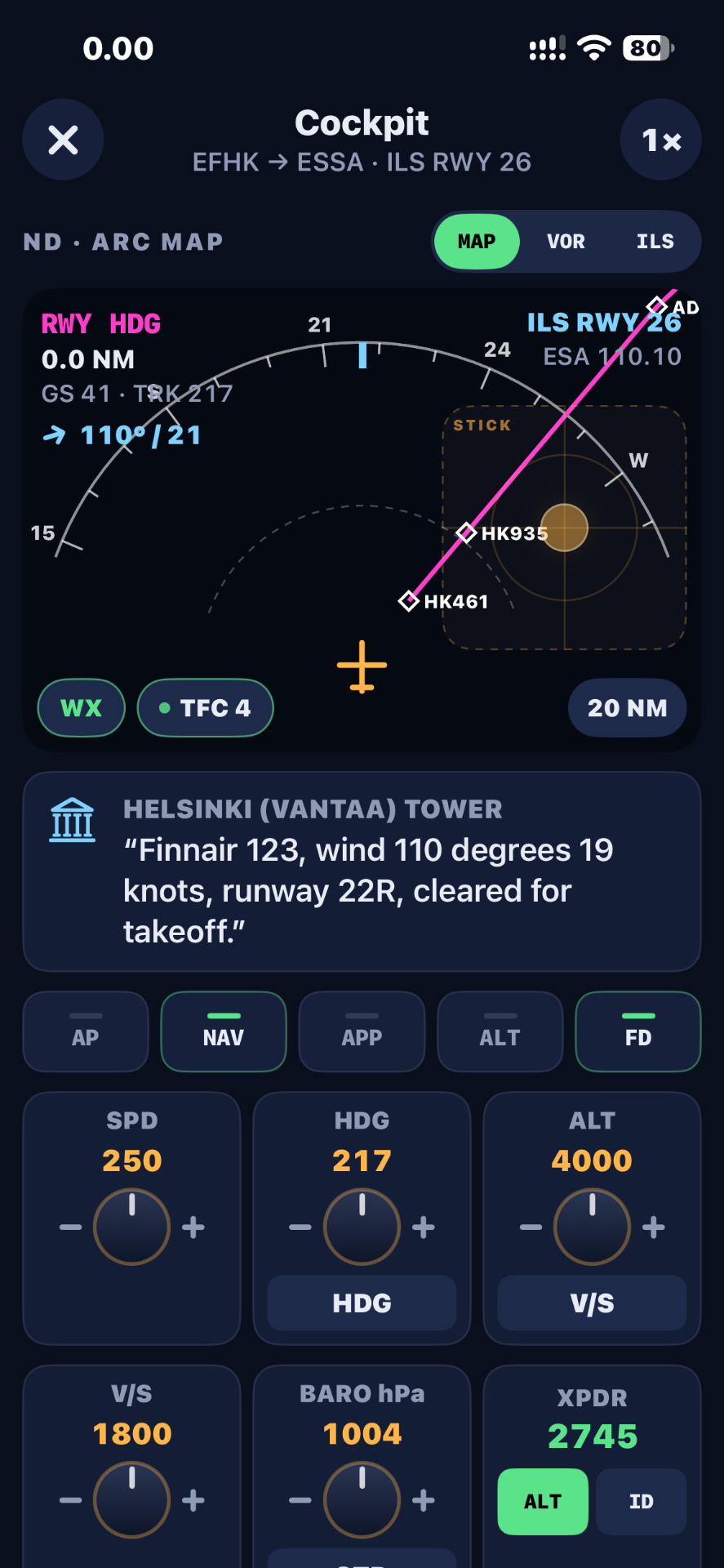
Interactive Cockpit
Read simulated airspeed, altitude, heading and vertical speed indications, and use heading control and autopilot-related controls where supported.
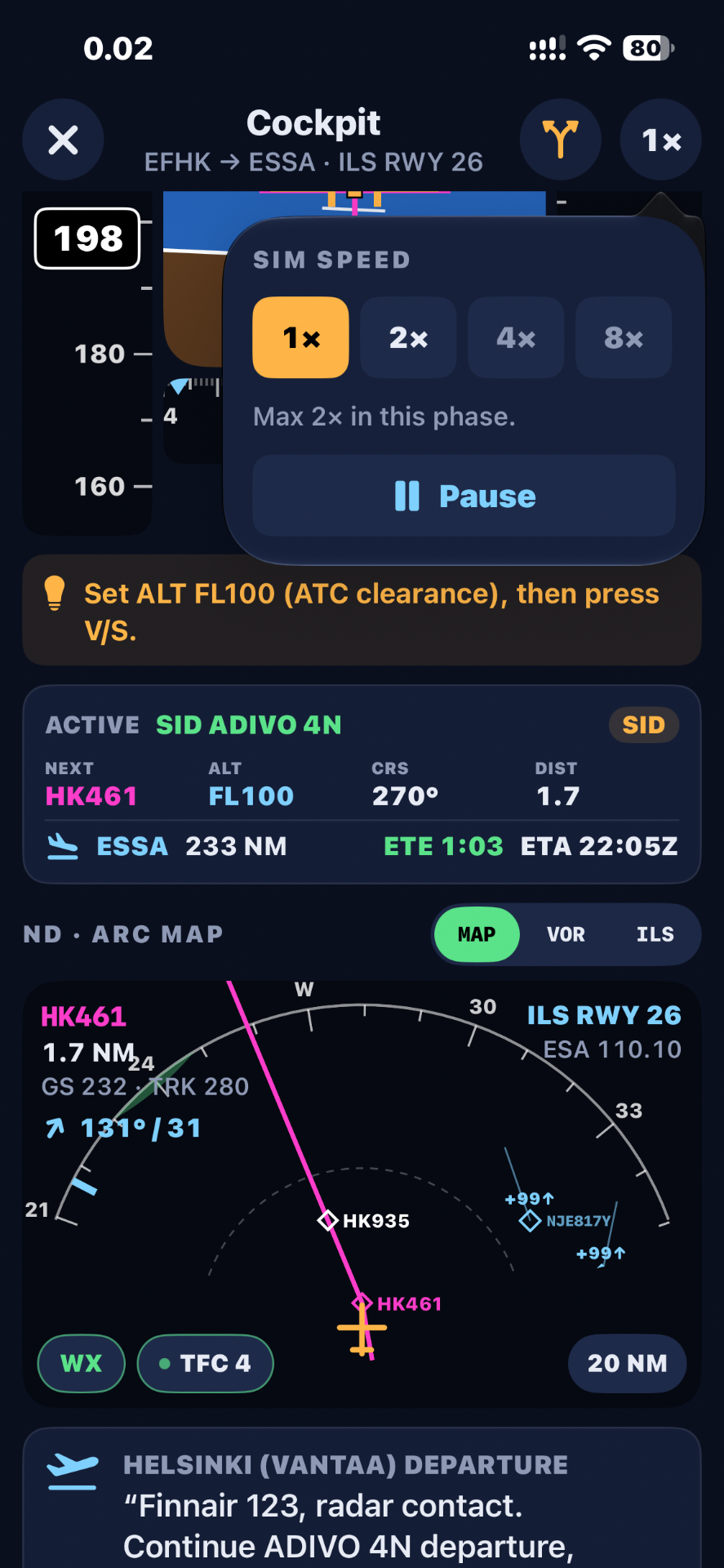
SID and STAR Procedures
Supported departure and arrival procedures guide the scenario with the active route, next waypoint, desired altitude, course and distance. Guidance is simulated and is not verified operational navigation data.
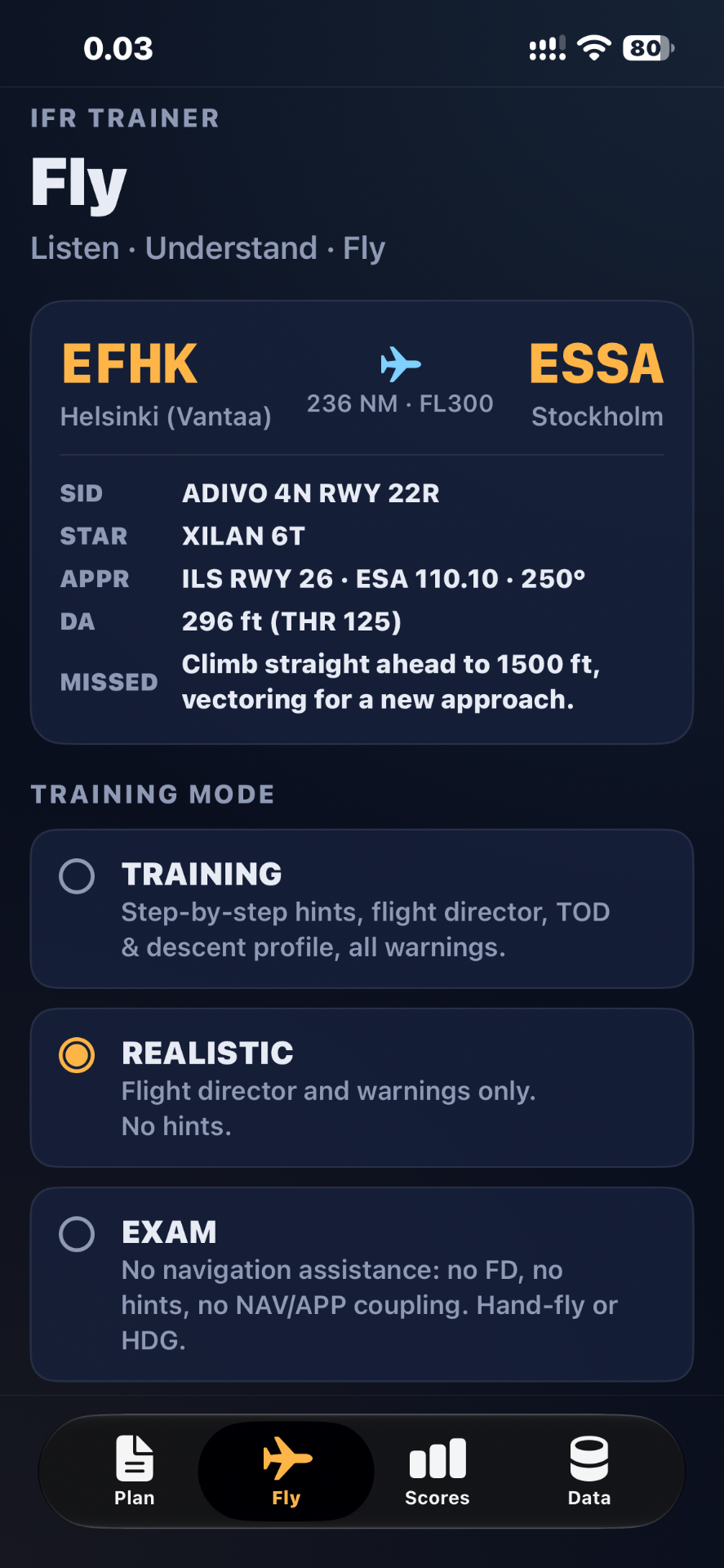
ILS Approach Practice
Brief the ILS approach with frequency, course, decision altitude and missed approach procedure, then practise interpreting localiser and glide-slope guidance and monitoring alignment. Choose Training mode with step-by-step hints, Realistic mode with flight director only, or Exam mode without navigation assistance.
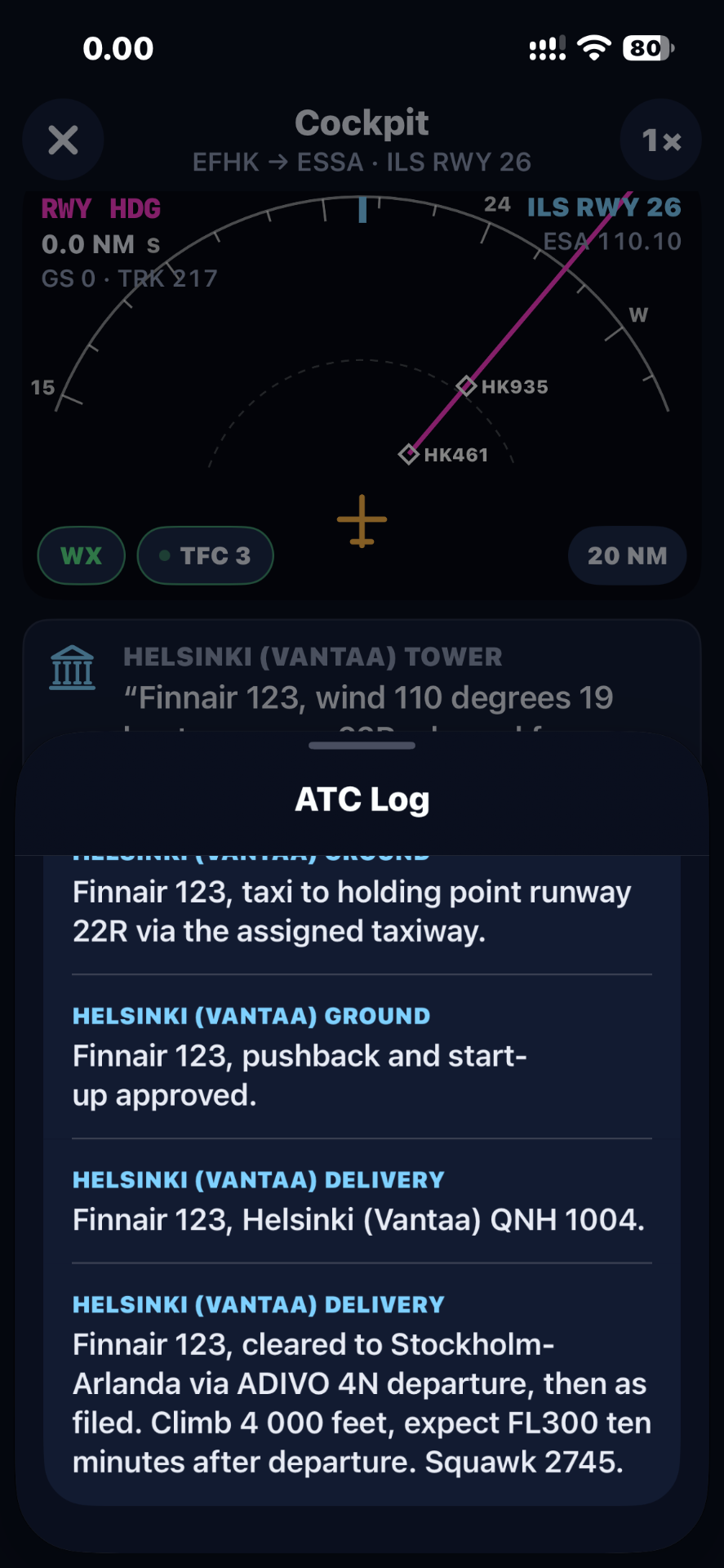
Automatic ATC
The simulator presents automatic ATC clearances and instructions during supported phases of flight, shown in a cockpit communication panel and ATC log. The current workflow does not require manual acknowledgement of each clearance.
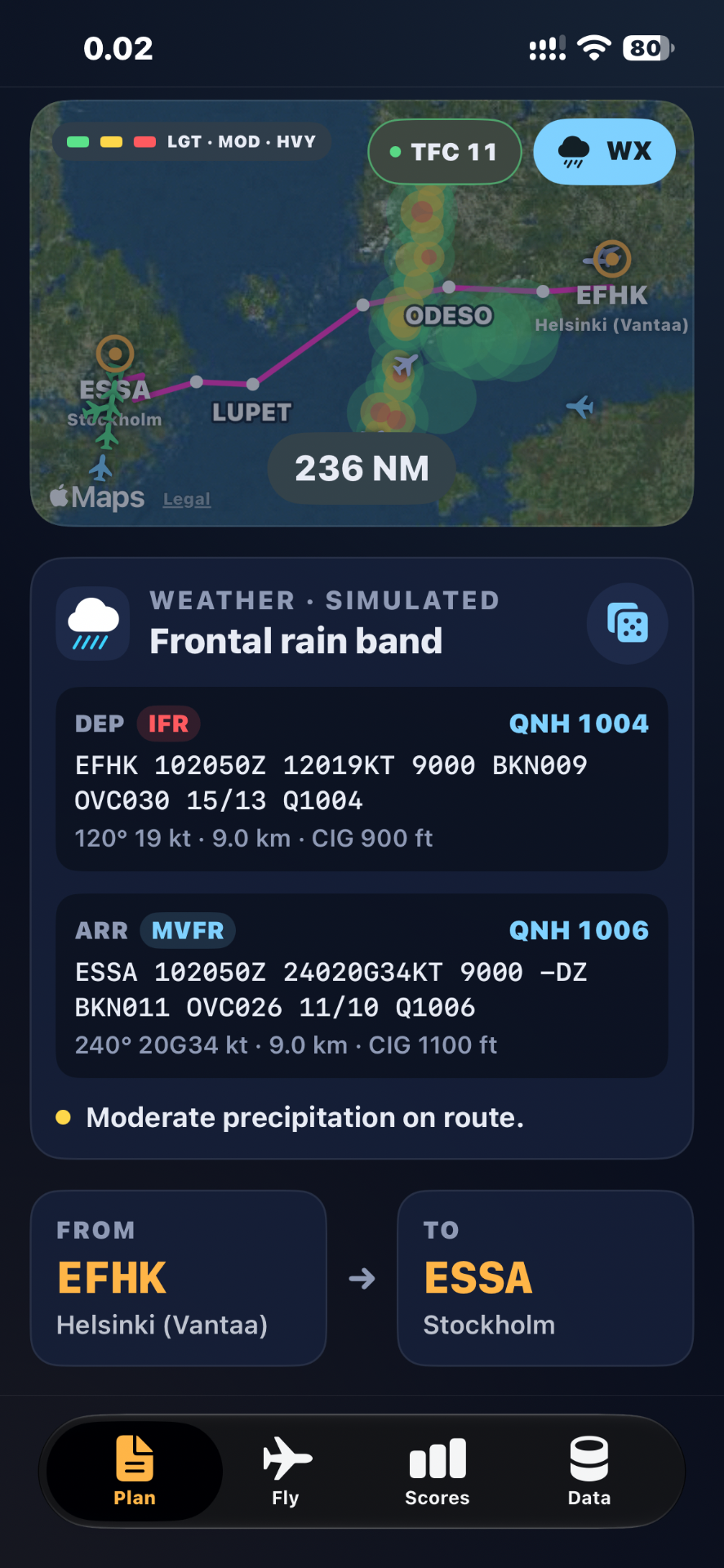
Weather and Flight Scenarios
Each flight comes with a simulated weather scenario, including departure and arrival METAR-style reports, QNH and precipitation shown on the route map. All weather is simulated and does not reflect real-world conditions.
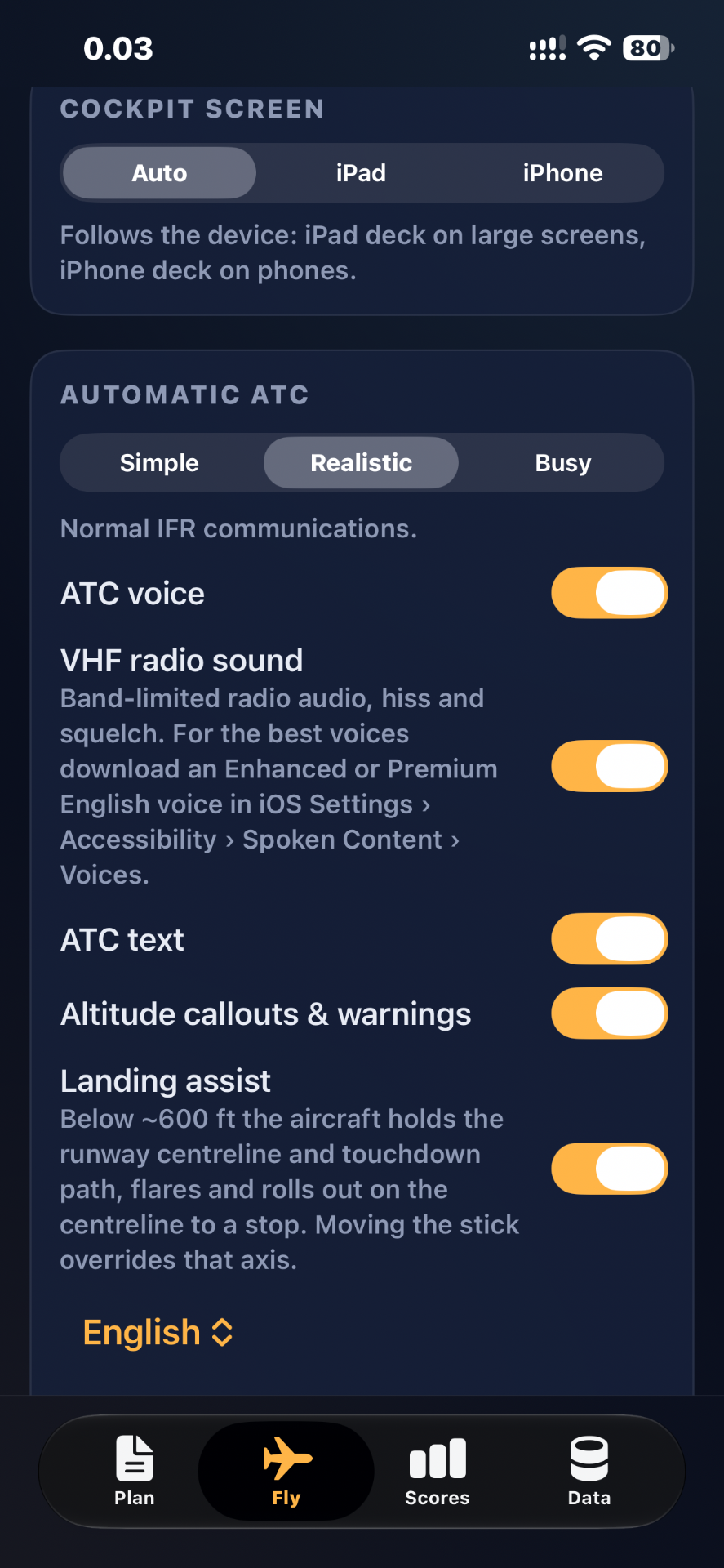
Training Settings
Adjust the available ATC communication options, audio settings and cockpit display options to suit your session.
Training modes compared
Choose how much assistance you get on each flight.
| Assistance | Training | Realistic | Exam |
|---|---|---|---|
| Step-by-step hints | |||
| Flight director | |||
| TOD and descent profile | |||
| Warnings | |||
| NAV / APP coupling |
Exam mode: hand-fly or use heading mode, without navigation assistance.